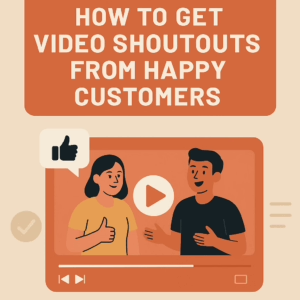
How to Get Video Shoutouts from Happy Customers
 You know that heart-melting message you get from a happy customer? The “This changed my life!” email? The DM that makes your whole week?
Now imagine if your future buyers could see and hear that.
That’s the power of video shoutouts—short, casual, and heartfelt clips that build trust better than any perfectly worded sales page.
This post walks you through how to collect these authentic videos from your clients—even if they are shy, awkward on camera, or convinced they do not know what to say.
Why Video Shoutouts Are So Effective
If you have ever bought something after watching a product review on YouTube or checked the ratings before buying on Amazon—you already get it.
Video shoutouts work because they feel real. You are not scripting someone’s experience—you are capturing it. And that authenticity turns browsers into buyers.
As a mom entrepreneur, you do not always have time to shoot pro-level content. That is why these videos are your new secret weapon.
They do not require fancy gear or a film crew. Just a phone, a smile, and someone who believes in what you do.
Step 1: Ask When the Moment Is Right
The best time to ask is right after a happy moment:
-
A glowing message about your product or service
-
A client complimenting your work
-
A successful delivery or project outcome
-
A customer sharing how something you created made a difference
Just say:
“That means a lot—thank you! Would you be open to recording a short video shoutout saying something similar? Super casual—nothing fancy. Just a few seconds sharing what you just told me.”
That’s it. Ask like a human, not like a marketing robot.
Affiliate Disclosure: This post contains affiliate links to products I genuinely recommend. As an Amazon Associate, I may earn a small commission from qualifying purchases—at no extra cost to you. It helps keep this blog going and my coffee cup full. Thank you!
Step 2: Let Them Record When They Want
If they do not want to record right away, say:
“You could do it later too—just a quick selfie video works great!”
And then follow up with:
-
Keep it under a minute
-
Say whatever feels natural
-
No script needed, just honest feedback
Want to help them feel more prepared? Recommend tools like this phone tripod with remote to make it easier.
Step 3: Provide Easy Prompts
Some people freeze on camera because they do not know what to say. Help them out by offering 2–3 quick prompts like:
-
Why did you decide to try this?
-
What did you love about the experience?
-
What would you tell a friend who is thinking about buying?
You can also send them a message or printable with those prompts.
Step 4: Reassure and Empower
Let them know you will:
-
Edit out awkward parts
-
Only share it with their permission
-
Make sure they look and sound great
You can even say:
“This is not about being perfect. It is about being real. Your voice could help someone else make the right choice.”
If editing makes you nervous, even a basic app like InShot can help polish it without needing editing skills.
Step 5: Call It What It Is
Skip the stiff words like “testimonial.” Keep it warm and relaxed:
-
“Would you be open to a quick video shoutout?”
-
“Can I share what you said in a short video?”
-
“Mind doing a quick shoutout about your experience?”
It removes the pressure and increases the chances of a “yes.”
How to Use Your Video Shoutouts
Once you have one or two videos, here is where you can put them to work:
-
Your website product or service pages
-
Social media highlight reels
-
Email campaigns or welcome series
-
Pitch decks or presentation slides
-
Stories and Reels for Instagram or Facebook
They are content gold, and they cost nothing but a little effort and timing.
Make It a Monthly Habit
Set a goal to collect one video shoutout each month.
By the end of the year, you will have 12 powerful, trust-building assets that show your value better than any stock image or salesy bullet list ever could.